
Camera Power Guide
This guide provides step-by-step instructions for selecting and powering the camera interface on the AstrOptix Board. It describes how to use the Camera Selection Utility (display_pop_up.py) to activate the LVDS camera (EV9520L), the MIPI camera (EV9500M), or both simultaneously, and how to save a permanent power mode that persists across reboots.
Camera Power Setting Selection
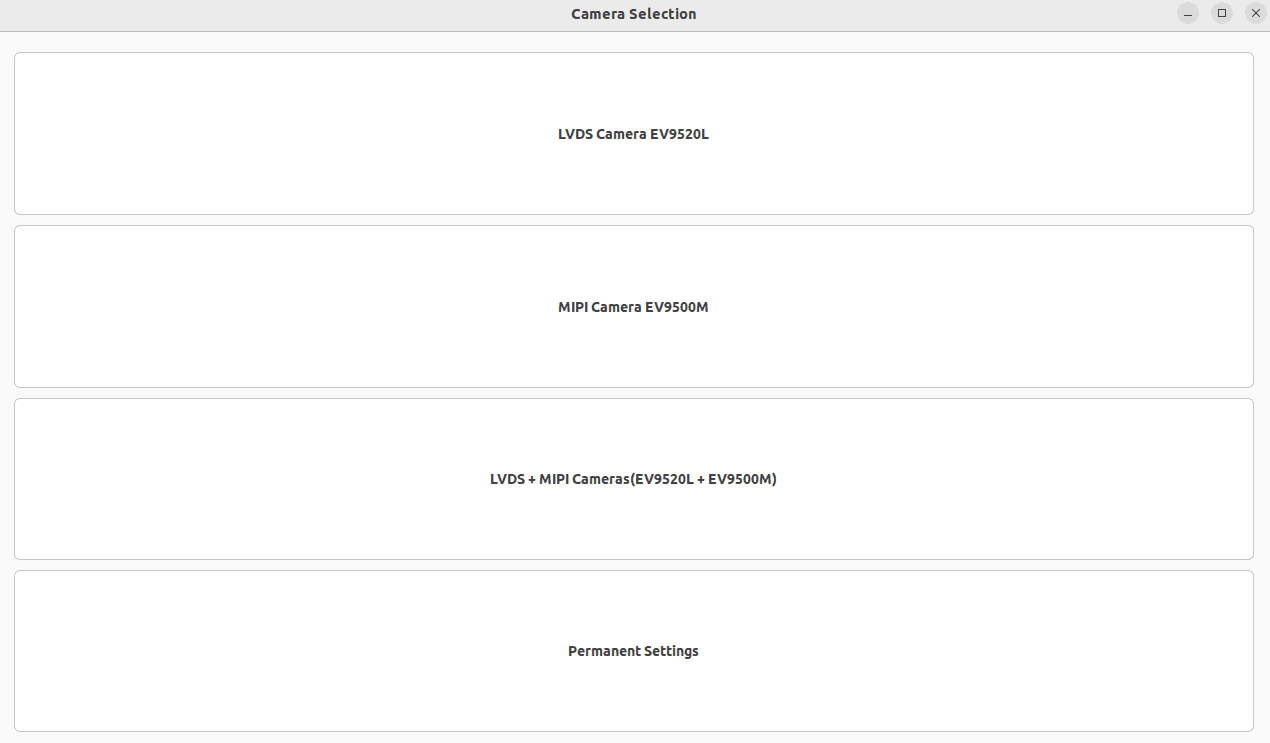
After the system reboots, the Camera Power Setting Selection window will appear automatically as shown below.
Enable Permanent Camera Power Configuration (EV9520L)
The Permanent Settings feature saves the selected camera mode to a configuration file on the filesystem. On every subsequent boot, the utility reads this file and automatically activates the saved camera mode — no manual interaction is required.
Step 10: Select "Permanent Settings" from the Camera Power Setting Selection window.
The Permanent Configuration window opens with three radio button options:
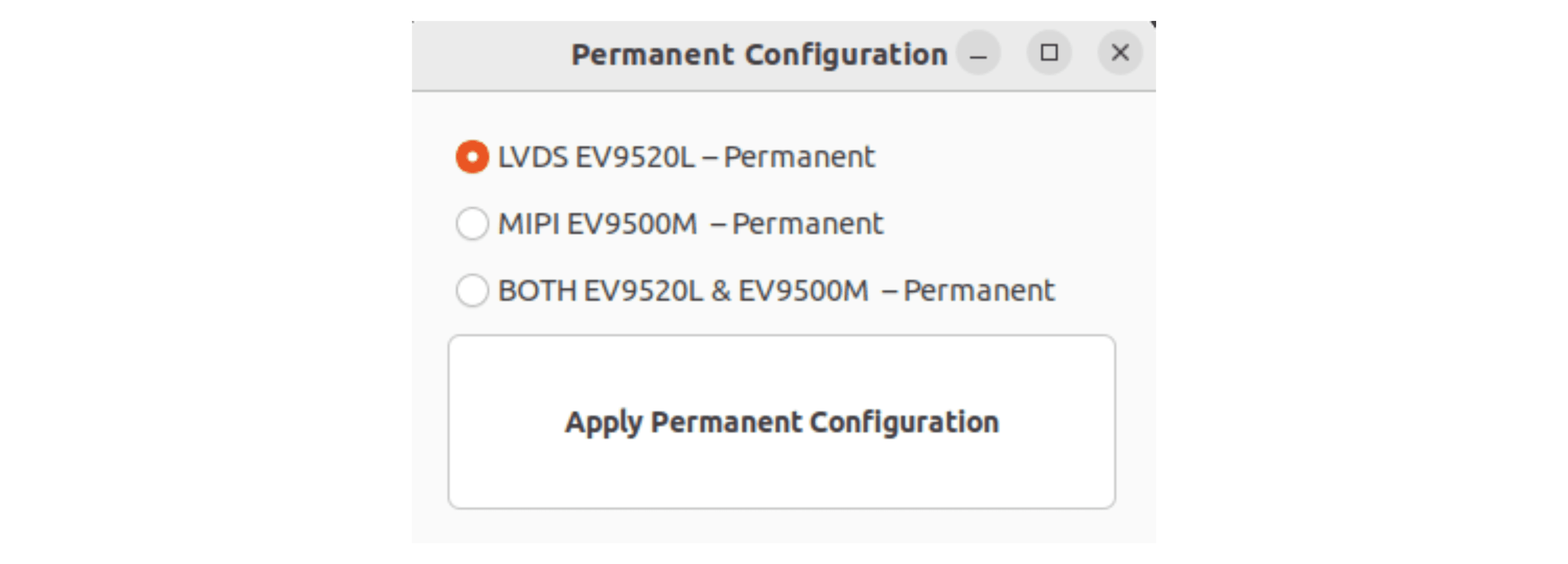
Step 11: Click the radio button corresponding to the LVDS Camera EV9520L interface which activate on every boot.
Step 12: Click "Apply Permanent Configuration" to save the configuration.
Disable Permanent Camera Power Configuration (EV9520L)
To disable the permanent camera power setting and return to manual selection on each boot:
Step 13: Remove the permanent mode file.
sudo rm /opt/display_mode/permanent_modeStep 14: Reboot the device.
rebootAfter reboot, the Camera Power Setting Selection window will appear again for manual selection.