
Camera Connection
This section covers the physical camera connections on the AGX Orin MIPI CSI-2 Bridge Board. Each camera type has its own dedicated port — connect each camera only to its matching connector.
| Port | Connector | Camera Type | Cable |
|---|---|---|---|
| Port 1 | J9 — LVDS_CAM | Sony / Tamron / KT&C / Videology / Wonwoo / Skoopia LVDS block camera | 30-pin micro-coax |
| Port 2 | J4 — HDMI_CAM | Sony FCB-ER series HDMI camera | 30-pin micro-coax |
| Port 3 | J5 — GMSL_CAM | 2 × GMSL cameras | Coax / STP |
| Port 4 | J3 — MIPI_CAM | Native MIPI CSI-2 sensor module | 22-pin FPC |
Port 2 — HDMI Camera Connection
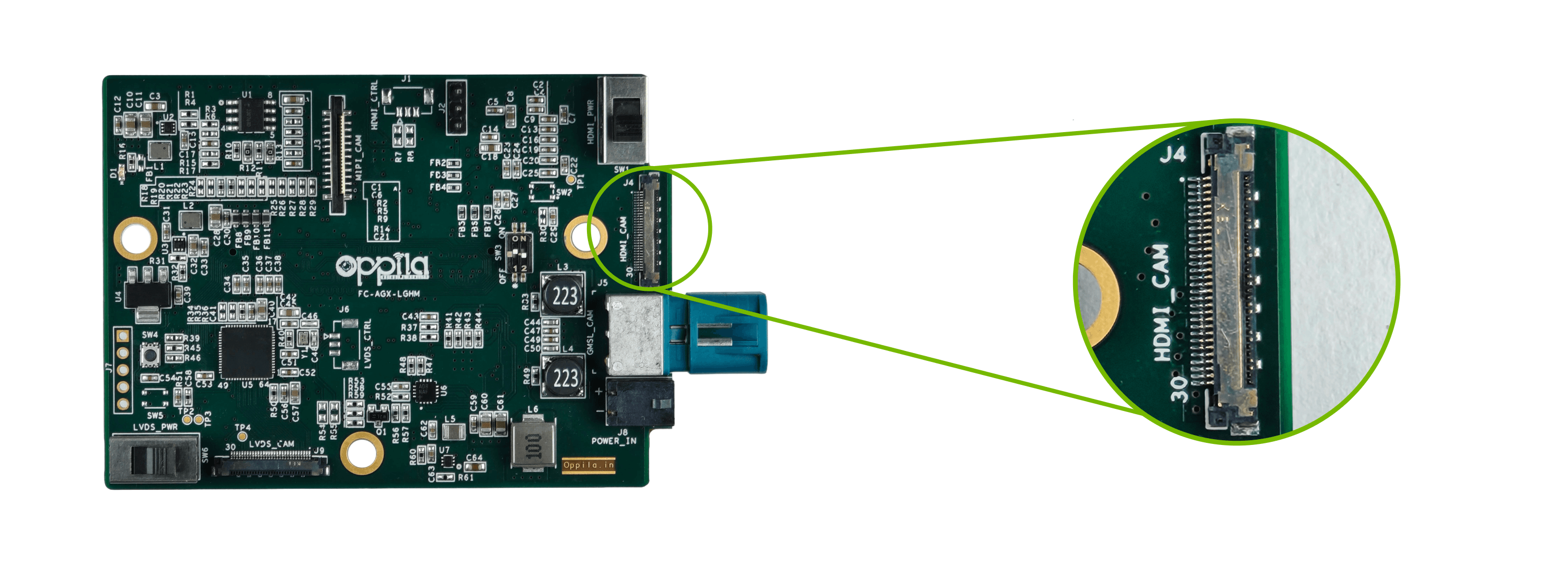
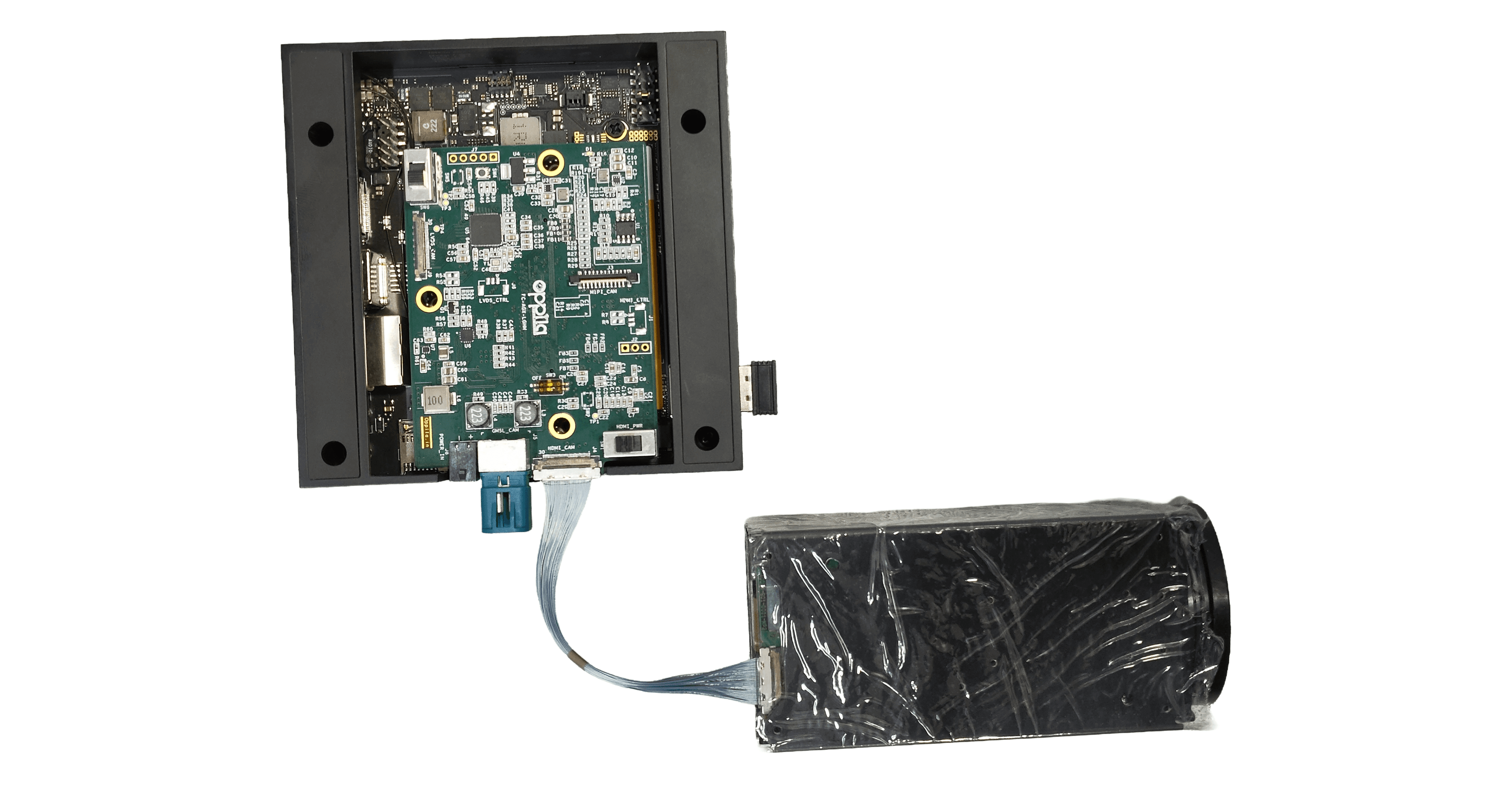
Connect the Sony FCB-ER series HDMI camera to J4 (HDMI_CAM) using a 30-pin micro-coaxial cable.
Board Connector (J4)
Connected Setup
Note
Camera power for this port is enabled by
SW1(HDMI_PWR).
Warning
Ensure the cable is fully seated and correctly oriented before powering on. Incorrect installation may permanently damage the camera.