
Connector Details
Connector Inventory
| Designator | Function |
|---|---|
J4 | LVDS camera input — 30-pin micro-coax, carries video, control, and camera power |
J7 | UART header — VISCA camera control, 3.3 V CMOS |
J9 | Main DC power input, 12 V DC regulated |
J8 | USB 3.0 SuperSpeed host port — UVC video and USB CDC control |
| SW1 | PMODE SWITCH |
| SW2 | UART CAMERA CONTROL SWITCH |
| USB | USB CAMERA CONTROL SWITCH |
Power Connector [J9]
| Function | Description |
|---|---|
| Location | J9 |
| Interface | Main power input |
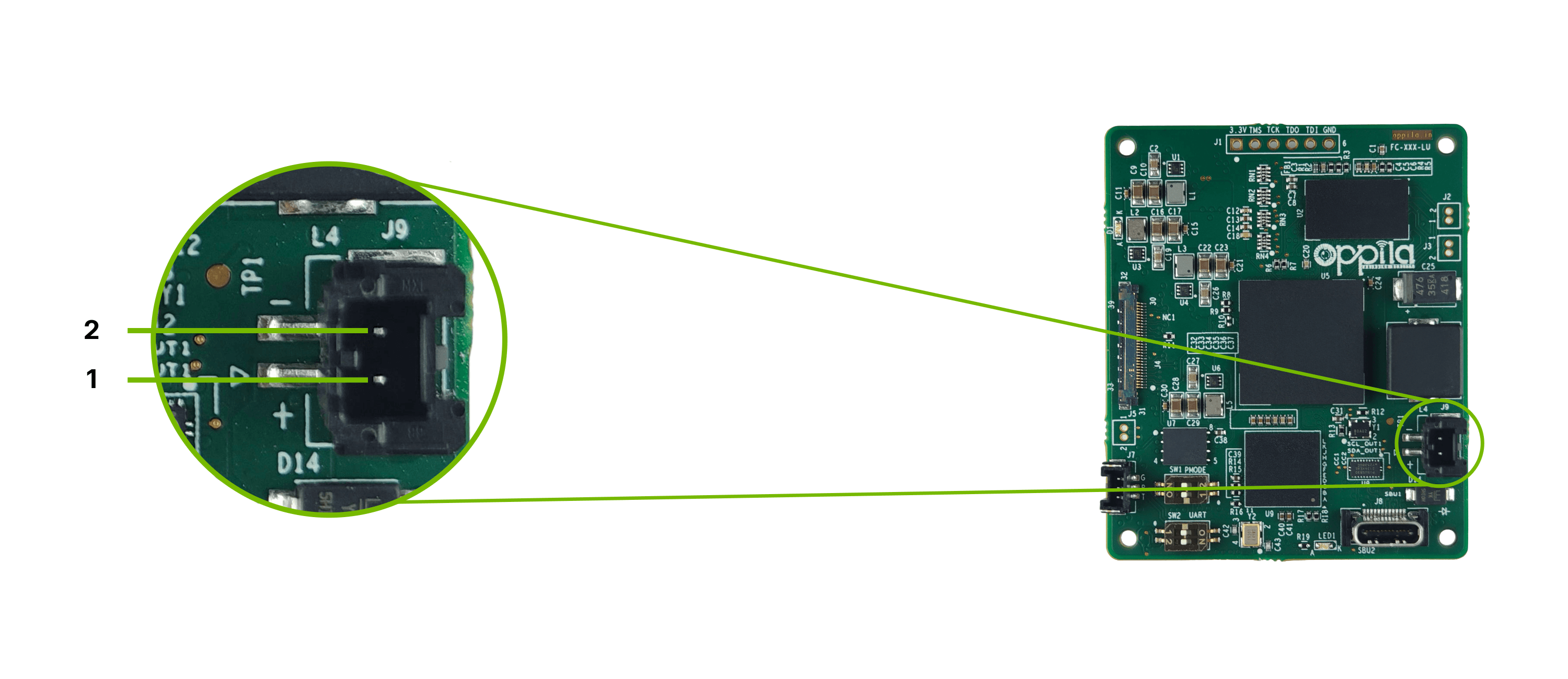
Pinout
| Pin | Signal |
|---|---|
| Pin 1 | +VIN (12 V DC) |
| Pin 2 | GND |
UART Connector [J7]
| Function | Description |
|---|---|
| Location | J7 |
| Interface | VISCA camera control, serial |
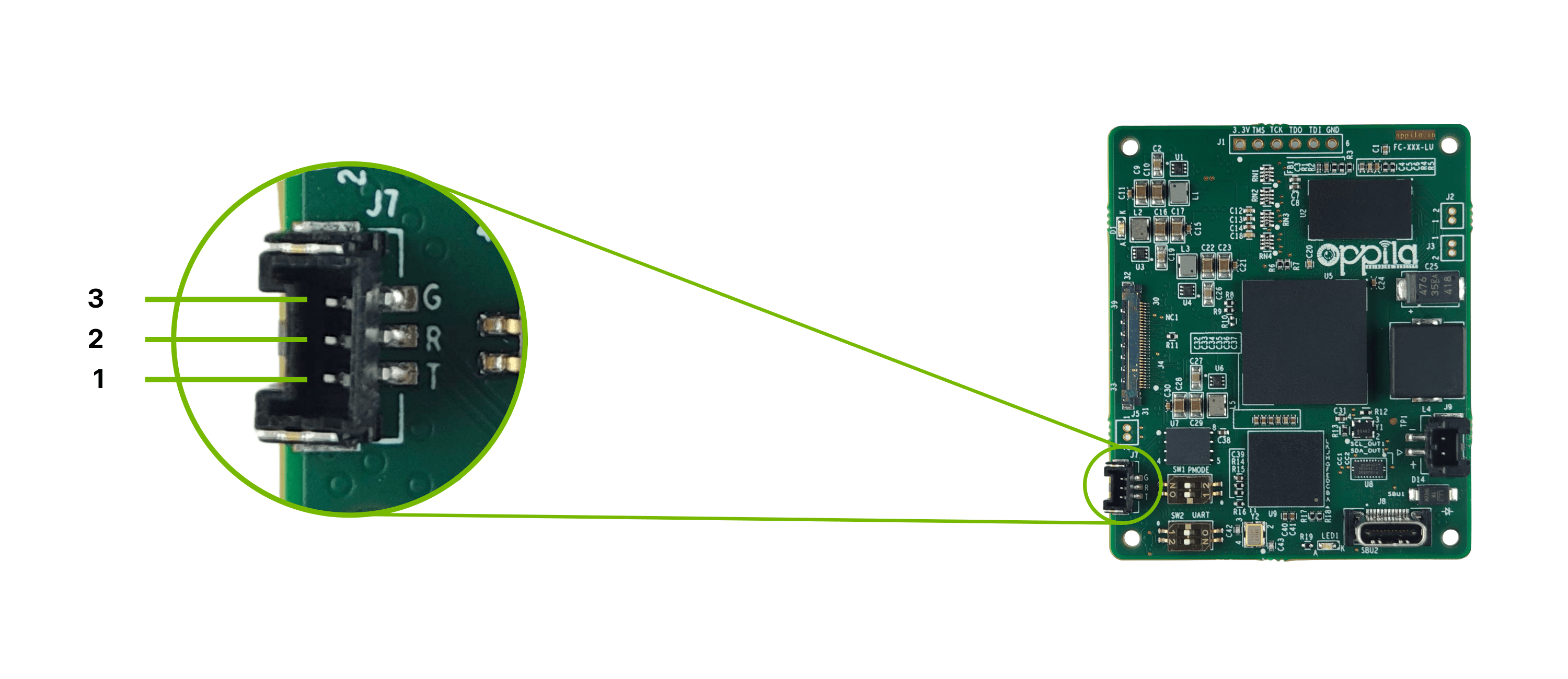
Pinout
| Pin | Signal |
|---|---|
| Pin 1 | TXD (3.3 V CMOS) |
| Pin 2 | RXD (3.3 V CMOS) |
| Pin 3 | GND |
LVDS Input Connector [J4]
| Function | Description |
|---|---|
| Location | J4 |
| Interface | LVDS video, camera control, and camera power |
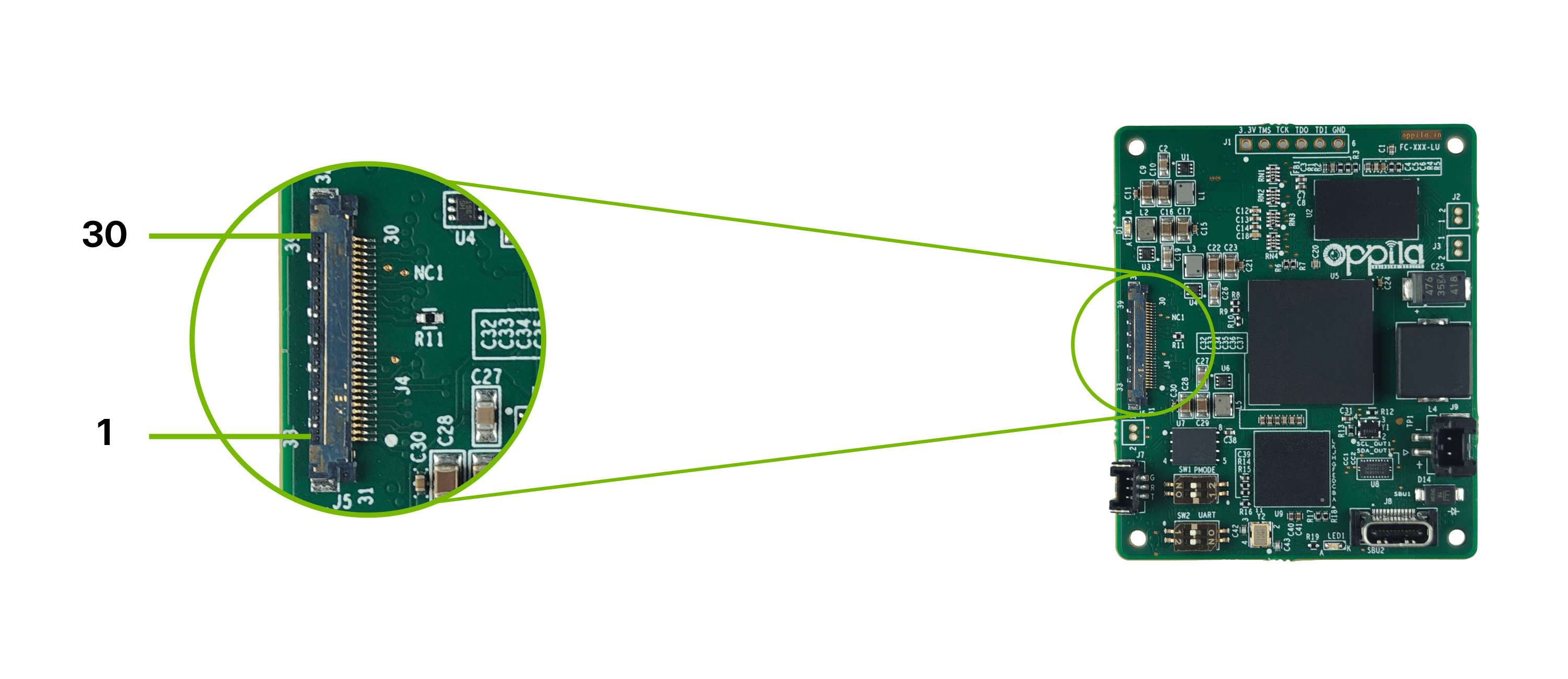
Pinout
LVDS INPUT CONNECTOR [J4]
| Pin | Signal | Pin | Signal |
|---|---|---|---|
| 1 | LVDS_D3_P | 16 | DC_IN |
| 2 | LVDS_D3_N | 17 | DC_IN |
| 3 | LVDS_CLK_P | 18 | DC_IN |
| 4 | LVDS_CLK_N | 19 | GND |
| 5 | LVDS_D2_P | 20 | GND |
| 6 | LVDS_D2_N | 21 | NC |
| 7 | LVDS_D1_P | 22 | NC |
| 8 | LVDS_D1_N | 23 | NC |
| 9 | LVDS_D0_P | 24 | NC |
| 10 | LVDS_D0_N | 25 | NC |
| 11 | GND | 26 | RESET [TP1] |
| 12 | CAM_TXD | 27 | NC |
| 13 | CAM_RXD | 28 | NC |
| 14 | DC_IN | 29 | NC |
| 15 | DC_IN | 30 | NC |
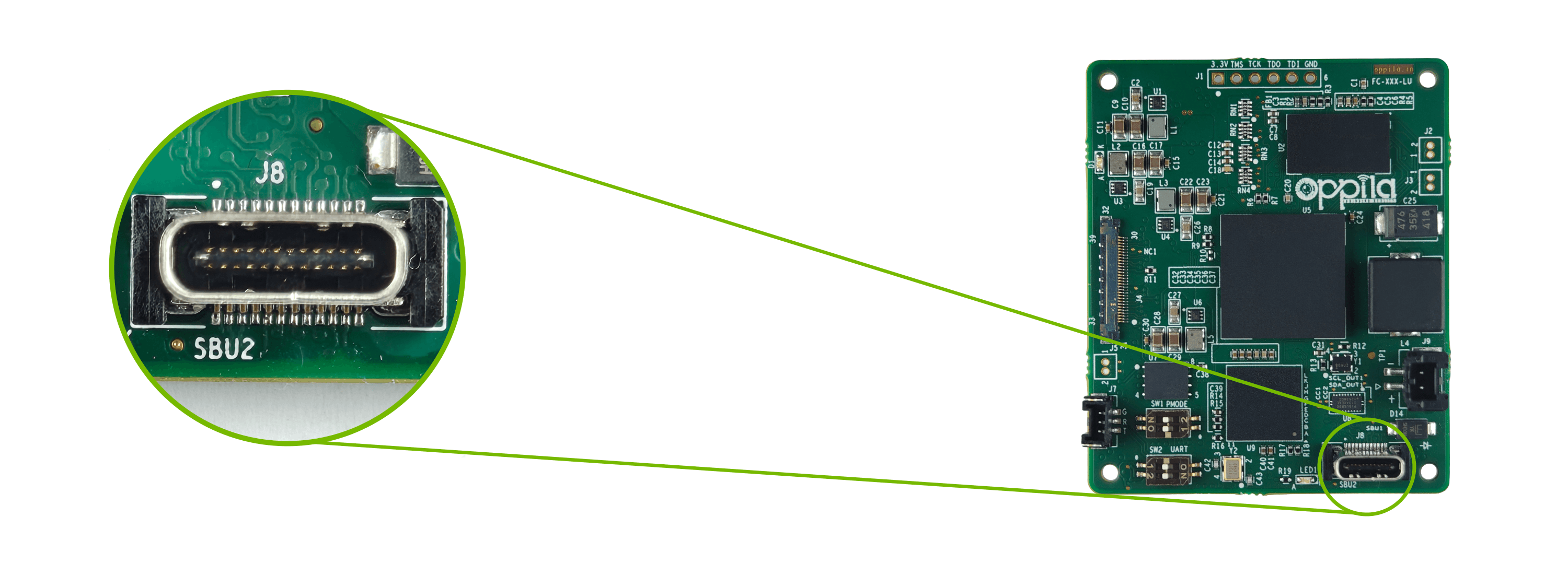
USB 3.0 Type-C Connector [J8]
| Function | Description |
|---|---|
| Location | J8 |
| Interface | USB 3.0 |
PMODE SWITCH [SW1]
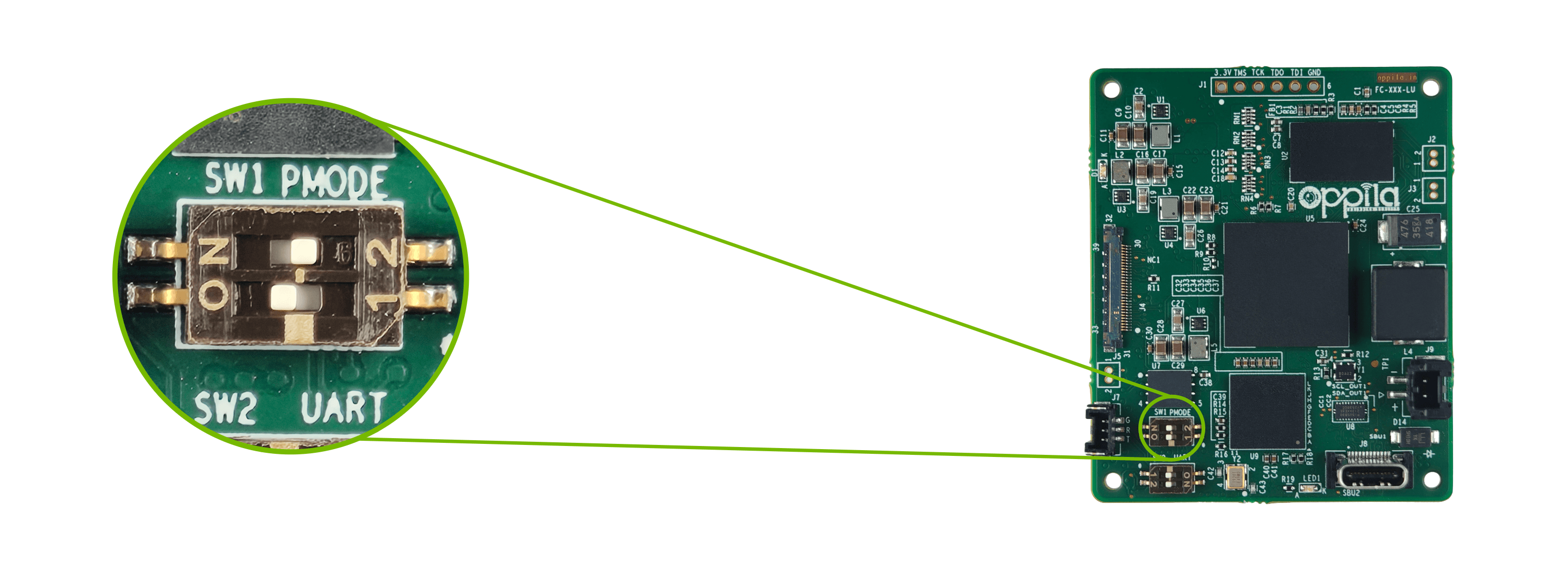
Warning
SW1is for internal use only. Do not change it from its factory-set position.
UART CAM CONTROL SWITCH [SW2]
Enables camera control over the UART connector J7.
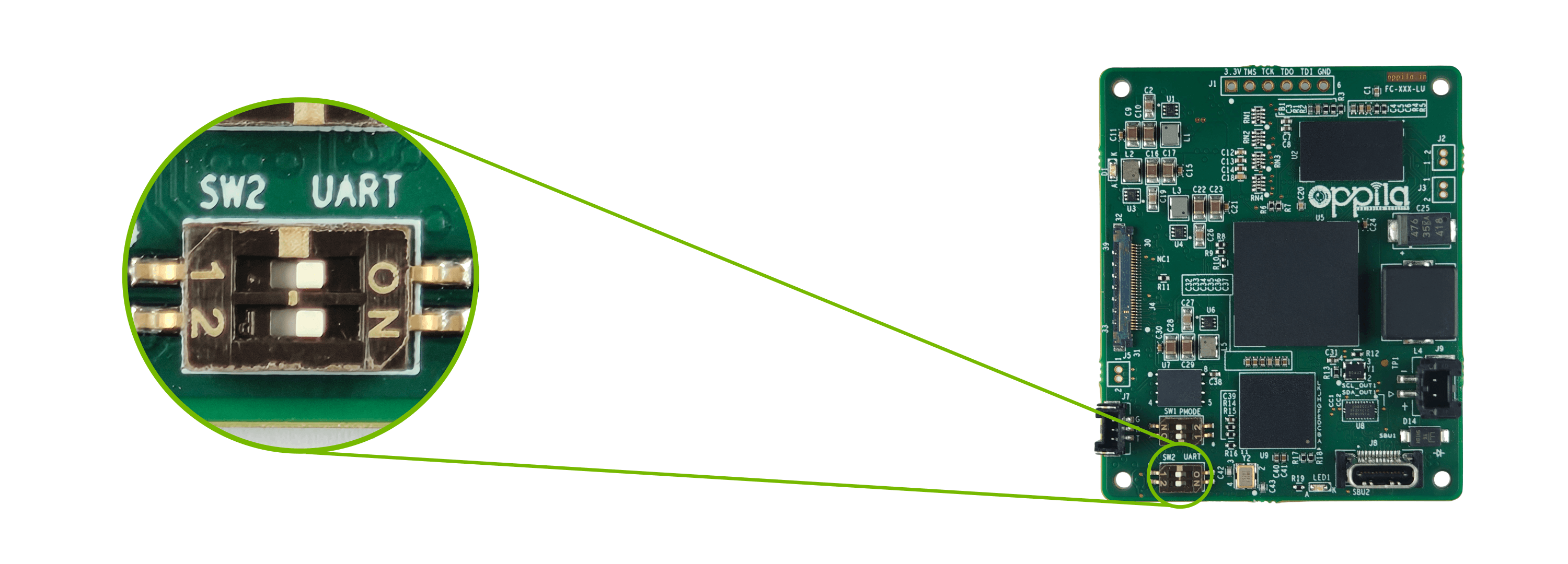
| Position | Function |
|---|---|
| ON | Camera can be controlled through the UART connector J7 |
| OFF | UART camera control disabled |
Warning
USBmust be OFF whenSW2is ON. Only one camera control switch may be enabled at a time.
USB CAM CONTROL SWITCH [USB]
Enables camera control over the USB connection.
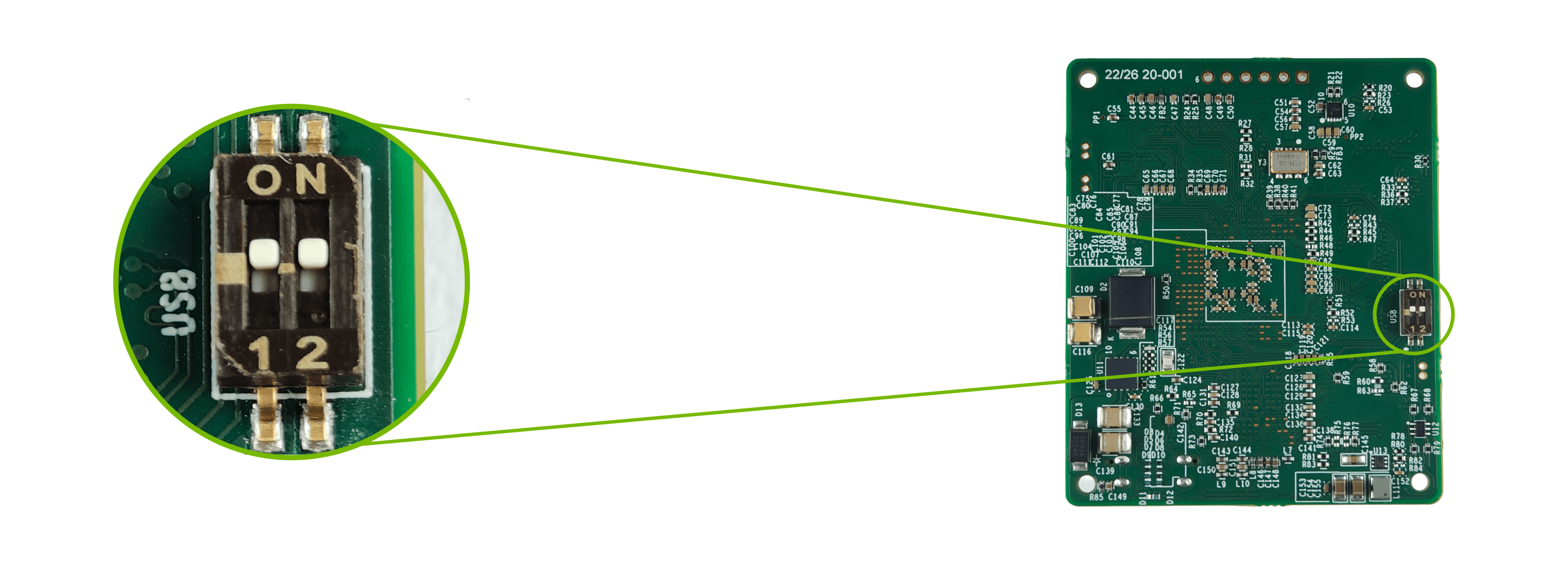
| Position | Function |
|---|---|
| ON | Camera can be controlled through USB |
| OFF | USB camera control disabled |
Warning
SW2must be OFF whenUSBis ON. Only one camera control switch may be enabled at a time.