
Image Bringup Overview
This guide covers the complete bringup process for the LVDS–MIPI CSI-2 bridge board using a pre-built L4T Oppila image. Unlike the manual driver integration workflow, this path uses a ready-to-flash image that already includes the required driver, device tree, and all configurations.
System Architecture
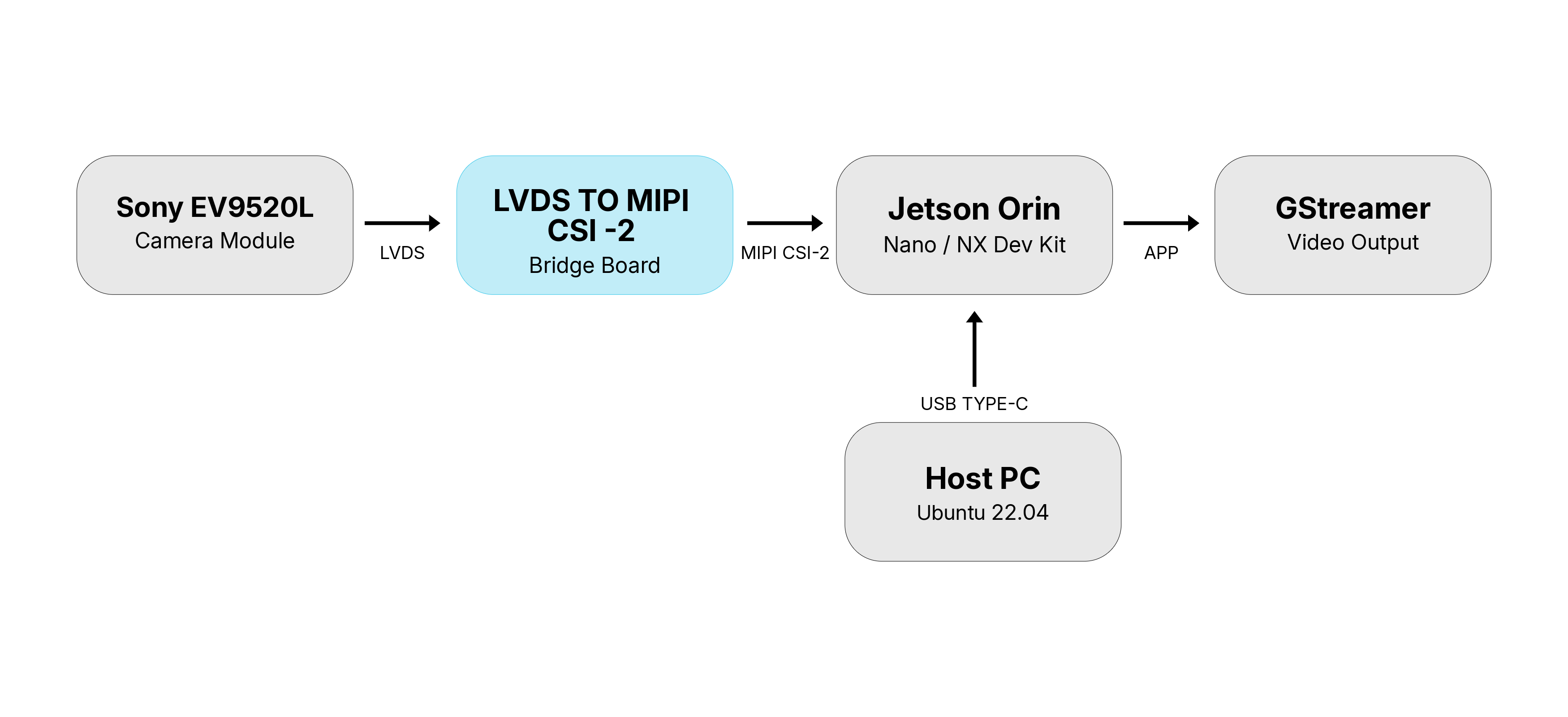
Host PC running Ubuntu 22.04 connects to the Jetson Orin Super Developer Kit via USB Type-C for flashing.
Sony EV9520L outputs raw video over the LVDS interface to the bridge board.
Bridge board converts LVDS to MIPI CSI-2 and streams it to the Jetson Orin.
Jetson exposes the camera as a V4L2 device. GStreamer reads the stream and renders the video output.
Prerequisites
Before starting, ensure the following are ready:
FC_REC to GND on the carrier board before powering onRequired Files
Note
These files are not publicly available. Contact Oppila Support Team for the files.