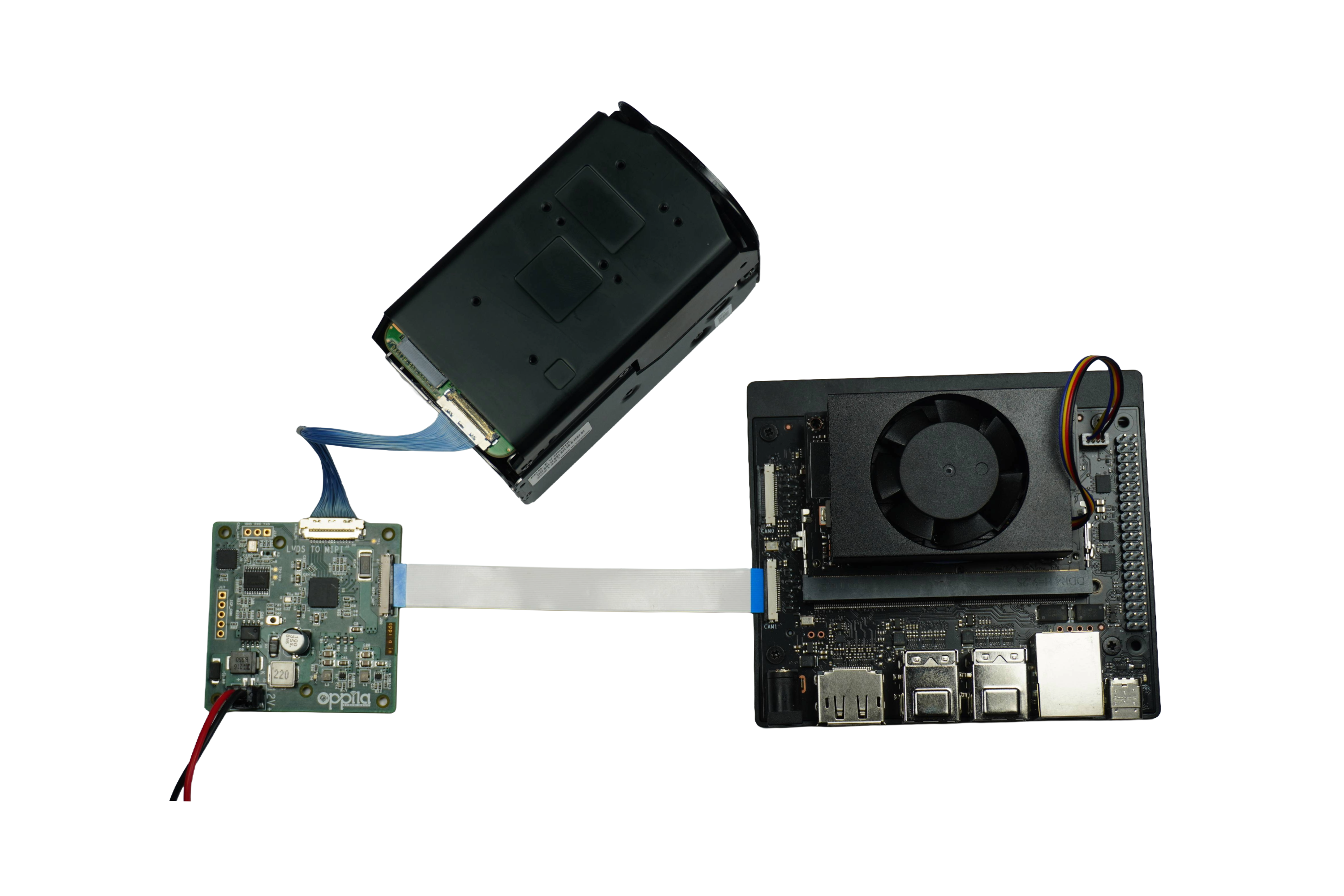
Bridge Board Connection
This section covers the physical connection setup between the Sony FCB-EV9520L camera, the Oppila LVDS–MIPI CSI-2 Bridge Board, and the Jetson Orin Nano Developer Kit.
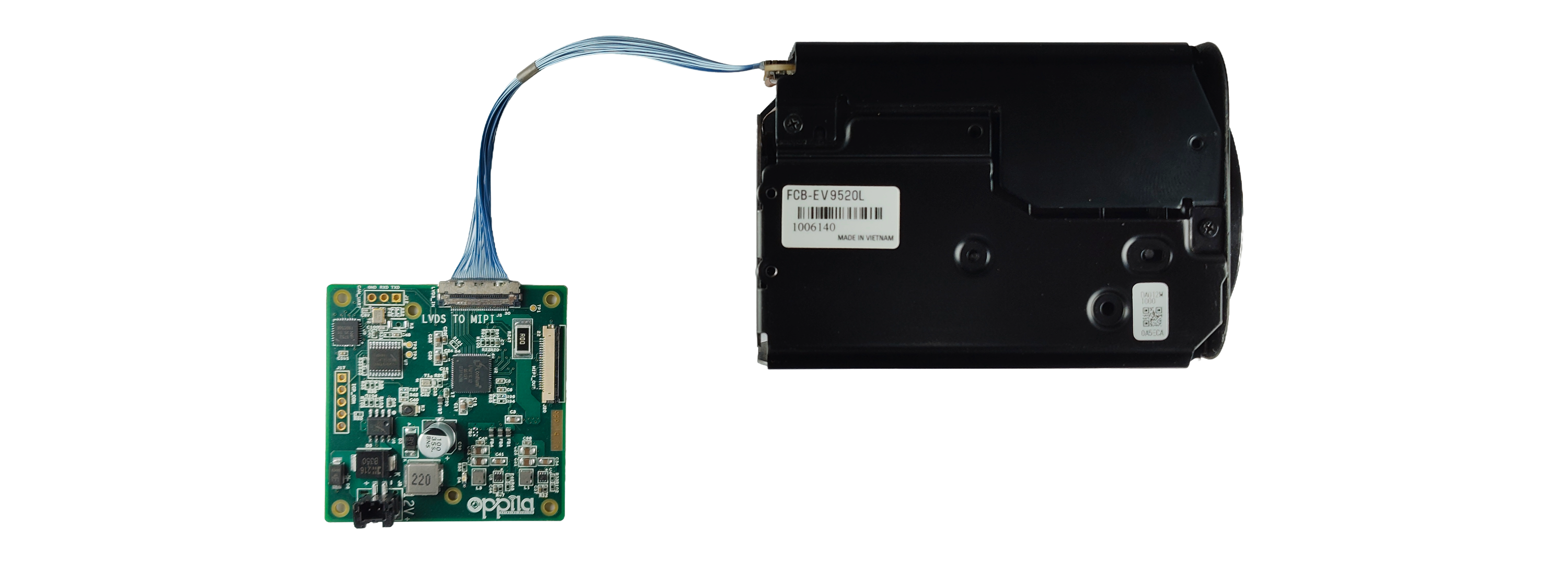
1. Connect Camera to Bridge Board
Use a Kel cable to connect the Sony FCB-EV9520L camera to the Oppila Bridge Board. Ensure the cable is seated firmly and the connector is fully locked.
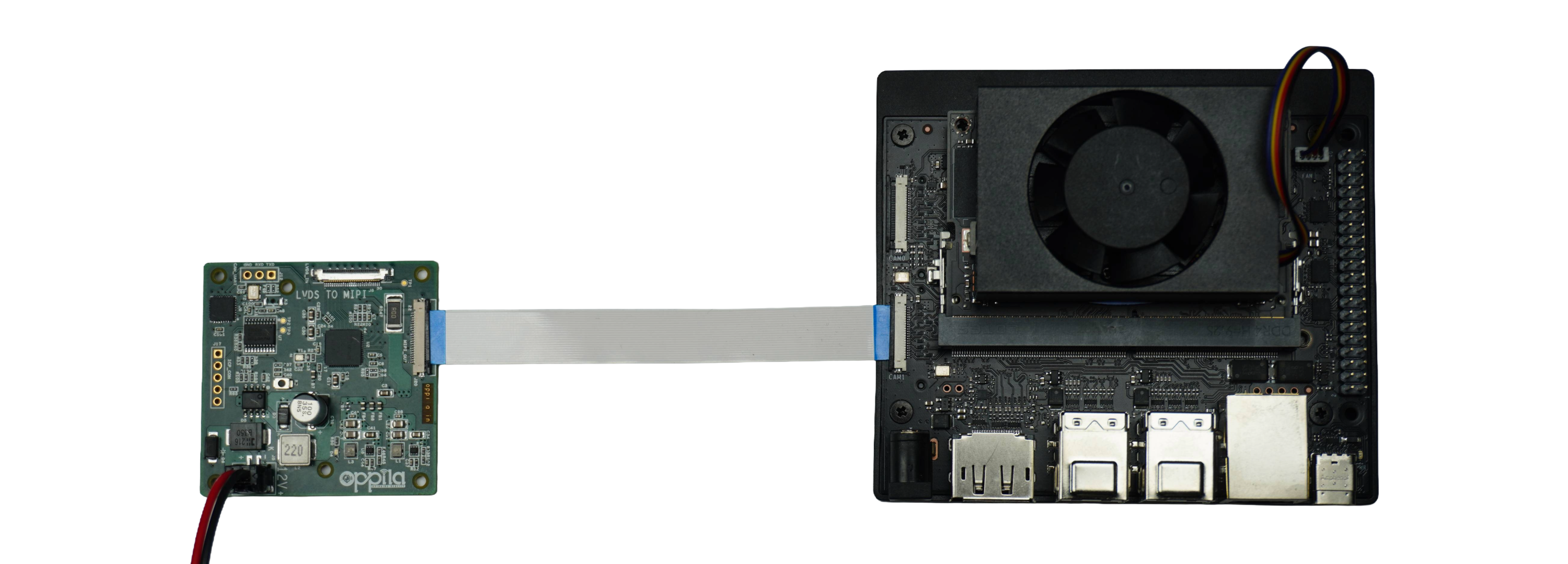
2. Connect Bridge Board to Jetson Orin Nano Super Developer Kit
Use a CSI FFC cable to connect the Bridge Board output to the CAM1 connector on the Jetson Orin Nano Super Developer Kit. Ensure the cable is inserted in the correct orientation and seated firmly.
3. Full Setup
The complete connection chain:
Sony FCB-EV9520L ──[Kel Cable]── Oppila Bridge Board ──[CSI FFC Cable]── Jetson CAM1