How to Evaluate a Sony FCB-EV9520L Camera on NVIDIA Jetson Orin NX Using V4L2 | Camera Bring-Up, MMAP vs DMABUF, and Driver Testing Guide
Introduction
Bringing up a camera on an embedded Linux platform is one of the most critical steps in developing computer vision and AI applications. Before integrating multimedia frameworks such as GStreamer or deploying AI inference pipelines, developers must first verify that the camera hardware, Linux driver, and capture interface are functioning correctly.
The Video4Linux2 (V4L2) framework is the standard Linux interface for camera devices. It provides direct communication with the kernel camera driver, making it the preferred tool for camera bring-up, driver development, sensor validation, and low-level debugging.
In this article, we demonstrate how to evaluate the Sony FCB-EV9520L camera connected to an NVIDIA Jetson Orin NX through an LVDS to MIPI CSI-2 Bridge Board using V4L2. You'll learn how to inspect camera capabilities, list supported formats, capture frames, compare MMAP and DMABUF streaming methods, and validate a stable 1920 × 1080 @ 60 FPS video stream.
Whether you're developing an embedded vision system, industrial inspection solution, medical imaging device, robotics platform, or AI-powered surveillance application, understanding V4L2 is essential for successful camera integration.
Why Use V4L2 for Camera Validation?
Unlike multimedia frameworks such as FFmpeg or GStreamer, V4L2 communicates directly with the Linux kernel camera driver. This makes it the ideal framework for validating camera hardware before application development begins.
Developers commonly use V4L2 to:
- Verify camera detection
- Inspect supported resolutions and pixel formats
- Capture image frames
- Validate custom Linux camera drivers
- Debug camera integration issues
- Measure camera frame rate
- Test RAW and YUV image formats
- Validate hardware during board bring-up
Because V4L2 bypasses higher-level multimedia processing, it provides greater visibility into the camera subsystem and simplifies debugging.
Hardware Setup
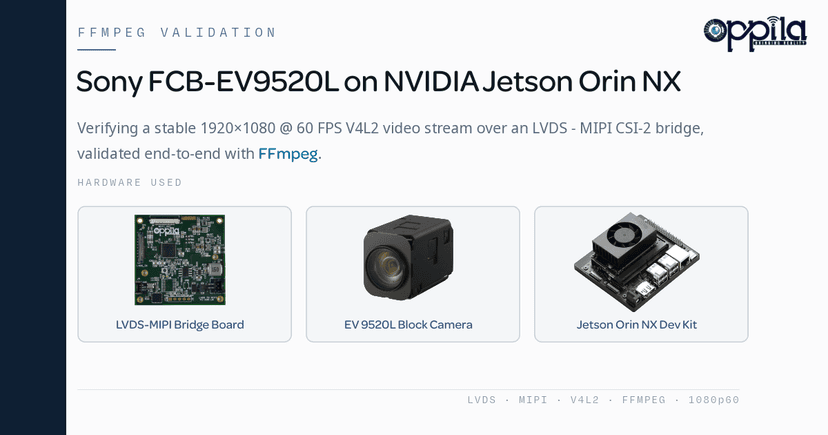
Our evaluation platform consisted of:
- Sony FCB-EV9520L Full HD Block Camera
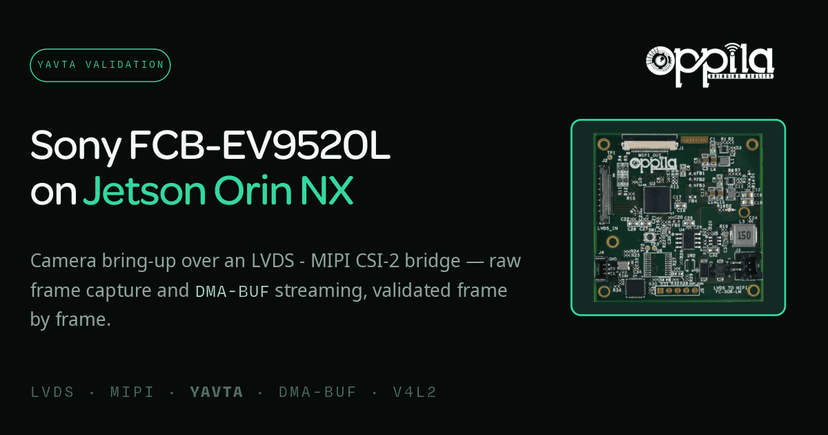
- LVDS to MIPI CSI-2 Bridge Board
- NVIDIA Jetson Orin NX Developer Kit
The bridge board converts the Sony camera's LVDS output into a standard MIPI CSI-2 interface, allowing seamless connectivity with NVIDIA Jetson platforms.
Software Environment
The evaluation was performed using:
- NVIDIA JetPack 6.2
- Ubuntu Linux
- Video4Linux2 (V4L2)
- v4l-utils
Install the V4L2 utilities:
sudo apt install v4l-utils
Verify the installation:
v4l2-ctl --version
When Should You Use V4L2?
V4L2 is recommended when:
- Direct camera access is required
- Developing custom Linux camera drivers
- Debugging camera bring-up issues
- Capturing RAW or YUV image formats
- Bypassing the NVIDIA Argus ISP pipeline
- Testing new camera hardware
- Validating sensor integration
For embedded Linux engineers, V4L2 is often the first tool used after connecting a new camera to the system.
Detecting the Camera
The first step is verifying that the camera is detected by the Linux kernel.
v4l2-ctl --list-devices
Example output:
NVIDIA Tegra Video Input Device
    /dev/media0

vi-output, lvdsmipi 9-0010
    /dev/video0
This confirms:
- The NVIDIA camera subsystem has initialized successfully.
- The LVDS to MIPI CSI-2 Bridge Board is detected.
- The Sony FCB-EV9520L camera is available through
/dev/video0.
Listing Supported Video Formats
To display the video formats supported by the camera:
v4l2-ctl --list-formats-ext -d /dev/video0
Typical output includes:
- UYVY 4:2:2
- NV16
- 1920 × 1080 resolution
- 60 FPS
This confirms that the camera supports Full HD video at 60 frames per second, making it suitable for high-performance embedded vision applications.
Querying Camera Capabilities
Developers often need detailed information about the connected camera. The following command displays comprehensive device information:
v4l2-ctl -d /dev/video0 --all
The output includes:
- Driver information
- Bus information
- Device capabilities
- Current pixel format
- Frame size
- Streaming parameters
- Buffer configuration
This information is particularly valuable during driver development and hardware validation.
Capturing a Single Frame
A simple way to verify image acquisition is to capture a single frame.
v4l2-ctl \
  --device=/dev/video0 \
  --stream-mmap \
  --stream-count=1
Successful execution confirms that:
- The camera is streaming correctly.
- The Linux driver is functioning.
- Image data is being transferred successfully through the LVDS to MIPI CSI-2 Bridge Board.
Measuring Camera Performance
Continuous frame capture verifies long-term streaming stability.
v4l2-ctl \
  --device=/dev/video0 \
  --stream-mmap \
  --stream-count=100
Typical output:
59.94 fps
This demonstrates:
- Stable Full HD streaming
- Consistent frame delivery
- Reliable camera integration
- Proper V4L2 driver operation
Capturing Raw Video Frames
For image quality analysis and debugging, developers often save raw camera data.
v4l2-ctl \
  --device=/dev/video0 \
  --stream-dmabuf \
  --stream-count=100 \
  --stream-to=capture.raw
Raw capture is useful for:
- Camera validation
- Driver debugging
- Offline image processing
- Sensor performance evaluation
- Image quality analysis
Understanding MMAP and DMABUF Streaming
One of the most important concepts in V4L2 is buffer management.
MMAP Streaming
MMAP allocates capture buffers inside the Linux kernel before mapping them into user space.
Advantages
- Simple implementation
- Supported by almost every V4L2 driver
- Easy to debug
Limitations
- Additional memory copies
- Higher CPU utilization
- Less efficient for hardware-accelerated pipelines
DMABUF Streaming
DMABUF enables zero-copy buffer sharing between hardware components. Instead of copying image data between software layers, the buffer is shared directly with hardware such as:
- GPU
- Video Encoder
- VIC
- Image Processing Engine
Advantages
- Zero-copy architecture
- Lower CPU utilization
- Higher throughput
- Reduced memory bandwidth
- Better hardware acceleration
Does DMABUF Reduce Latency?
Many developers assume switching from MMAP to DMABUF dramatically reduces latency. In reality, this is only partially true.
DMABUF primarily:
- Reduces CPU overhead
- Eliminates unnecessary memory copies
- Improves pipeline efficiency
However, end-to-end (glass-to-glass) latency is influenced by multiple stages, including camera exposure, CSI transfer, processing, encoding, rendering, and display synchronization. For most 1080p60 camera pipelines, switching from MMAP to DMABUF improves latency by only a few milliseconds.
MMAP vs DMABUF Comparison
| Feature | MMAP | DMABUF |
|---|---|---|
| CPU Utilization | Higher | Lower |
| Memory Copies | More | Fewer |
| Throughput | Lower | Higher |
| Zero-Copy Support | No | Yes |
| Hardware Acceleration | Limited | Excellent |
| Driver Support | Universal | Hardware Dependent |
| Glass-to-Glass Latency | Similar | Slightly Better |
For production multimedia pipelines on NVIDIA Jetson, DMABUF is generally the preferred approach.
Test Results
During evaluation of the Sony FCB-EV9520L camera:
- The LVDS to MIPI CSI-2 Bridge Board was detected successfully.
- The camera appeared as
/dev/video0. - Supported formats included UYVY422 and NV16.
- Stable 1920 × 1080 @ 60 FPS streaming was achieved.
- Continuous capture maintained approximately 59.94 FPS.
- Both MMAP and DMABUF streaming operated correctly.
- DMABUF reduced CPU overhead while maintaining stable capture performance.
These results confirm that the hardware, Linux driver, and V4L2 framework are functioning correctly and are ready for AI vision applications.
Why V4L2 Matters in Embedded Vision
V4L2 forms the foundation of nearly every Linux camera pipeline. Whether you are building:
- AI-powered surveillance systems
- Industrial inspection equipment
- Medical imaging solutions
- Robotics platforms
- Autonomous machines
- Smart transportation systems
V4L2 provides the low-level tools required to validate camera hardware before integrating advanced multimedia frameworks or AI inference engines.
Conclusion
The Video4Linux2 (V4L2) framework is an essential tool for camera bring-up, Linux camera driver development, and embedded vision system validation. In this evaluation, we successfully integrated the Sony FCB-EV9520L camera with the NVIDIA Jetson Orin NX through an LVDS to MIPI CSI-2 Bridge Board and validated stable 1920 × 1080 @ 60 FPS video capture.
By using V4L2, developers can inspect camera capabilities, validate supported formats, capture raw frames, compare MMAP and DMABUF streaming methods, and ensure reliable camera performance before moving to multimedia frameworks such as FFmpeg or GStreamer.
For developers working on Linux camera drivers, embedded vision, AI edge computing, or NVIDIA Jetson camera integration, mastering V4L2 is a fundamental step toward building robust and high-performance vision systems.
Product Details
Product link: Sony FCB-EV9520L
Bridge Board: LVDS–MIPI
FAQ
Video4Linux2 (V4L2) is the standard Linux framework for camera and video capture devices. It provides direct access to camera drivers, allowing developers to validate camera functionality, inspect supported formats, capture frames, and debug camera drivers during hardware bring-up.
V4L2 communicates directly with the Linux kernel camera driver, making it the preferred choice for low-level camera validation and driver debugging. FFmpeg and GStreamer are higher-level multimedia frameworks that build on top of V4L2 for media processing and streaming.
You can list all detected camera devices using v4l2-ctl --list-devices. If your camera appears as /dev/video0 (or another video device), it has been successfully detected by the V4L2 subsystem.
Use v4l2-ctl --list-formats-ext -d /dev/video0. This displays supported resolutions, pixel formats (such as UYVY422 and NV16), and frame rates supported by the camera.
MMAP uses kernel-allocated buffers that are mapped into user space, making it simple and widely supported. DMABUF enables zero-copy buffer sharing between hardware components such as the GPU, encoder, and image processor, reducing CPU overhead and improving throughput for multimedia applications.
DMABUF primarily reduces CPU usage and memory copies by enabling zero-copy buffer sharing. While it improves overall pipeline efficiency, the reduction in end-to-end (glass-to-glass) latency is usually only a few milliseconds. Overall latency depends on the complete video pipeline, including capture, processing, encoding, and display.
NVIDIA Jetson platforms are designed to take advantage of hardware-accelerated multimedia pipelines. DMABUF allows captured frames to be shared directly with components such as the GPU, VIC, and hardware video encoders without unnecessary memory copies, improving performance and reducing CPU utilization.
Yes. V4L2 supports capturing raw image data directly from the camera. Developers can save uncompressed frames for image quality analysis, camera validation, driver debugging, and offline image processing without applying any compression.
V4L2 is recommended for camera bring-up, custom Linux camera driver development, camera debugging, sensor validation, RAW and YUV image capture, hardware integration testing, and performance evaluation before application development.
V4L2 is supported across the NVIDIA Jetson family, including Jetson Orin NX, Jetson Orin Nano, Jetson AGX Orin, Jetson Xavier NX, Jetson AGX Xavier, and Jetson Nano. Any camera exposed through the Linux V4L2 framework can be tested using V4L2 utilities such as v4l2-ctl.