How to Test a Sony FCB-EV9520L Camera on NVIDIA Jetson Orin NX Using FFmpeg | Complete V4L2 Camera Validation Guide
Introduction
Integrating a Sony FCB-EV9520L block camera with an NVIDIA Jetson Orin NX is a common requirement for applications such as embedded vision, industrial automation, AI-powered surveillance, robotics, medical imaging, and machine vision. Before deploying a computer vision application, it is essential to verify that the camera, Linux driver, and video pipeline are functioning correctly.
One of the fastest and most reliable tools for validating camera performance is FFmpeg. As a powerful open-source multimedia framework, FFmpeg enables developers to capture images, record video, measure frame rates, and test Video4Linux2 (V4L2) camera devices — all without writing application code.
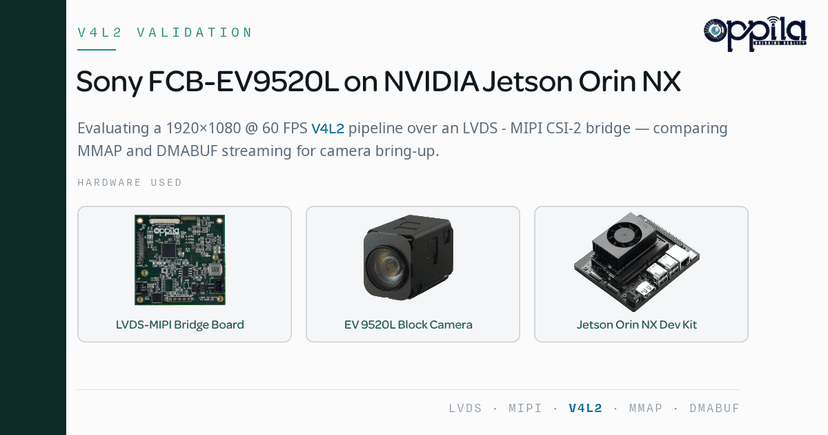
In this guide, we evaluate the Sony FCB-EV9520L camera connected to an NVIDIA Jetson Orin NX through an LVDS to MIPI CSI-2 Bridge Board, and show how FFmpeg helped verify a stable 1920 × 1080 @ 60 FPS video stream.
Why Use FFmpeg for Camera Validation?
FFmpeg is one of the most widely used multimedia frameworks in the Linux ecosystem. It provides an easy command-line interface for working with V4L2 camera devices, making it an ideal choice for early-stage camera bring-up and validation.
With FFmpeg, developers can quickly:
- Capture still images from the camera
- Record raw or compressed video
- Verify supported resolutions and pixel formats
- Measure real-time frame rate performance
- Validate Linux camera drivers
- Test camera streaming before application development
Rather than building a complete camera application, FFmpeg allows engineers to verify that the camera, LVDS to MIPI CSI-2 bridge, Linux V4L2 driver, and Jetson platform are working correctly.
Hardware Setup
The evaluation platform consisted of:
- Sony FCB-EV9520L Full HD Block Camera
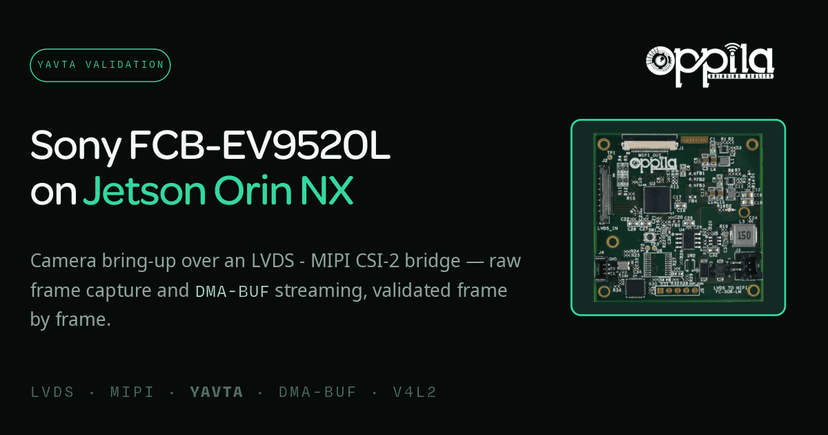
- LVDS to MIPI CSI-2 Bridge Board
- NVIDIA Jetson Orin NX
The bridge board converts the Sony camera's LVDS video output into a standard MIPI CSI-2 interface, enabling seamless connectivity with NVIDIA Jetson platforms.
Software Environment
The testing environment included:
- NVIDIA JetPack 6.2
- Linux V4L2 Driver
- FFmpeg
Installing FFmpeg is straightforward:
sudo apt install ffmpeg
Verify the installation:
ffmpeg -version
Capturing a Single Frame
The first validation step is confirming that the camera is detected correctly by the operating system.
ffmpeg -f v4l2 -i /dev/video0 -frames:v 1 frame.jpg
If the command successfully creates frame.jpg, it confirms that:
- The Sony FCB-EV9520L camera is detected.
- The V4L2 driver is functioning correctly.
- Video frames are successfully reaching the Jetson platform.
- The LVDS to MIPI CSI-2 Bridge Board is operating correctly.
Capturing at a Specific Resolution
Camera validation often requires confirming a particular resolution and pixel format. To capture a frame at 1920 × 1080 using the UYVY422 pixel format:
ffmpeg \
  -f v4l2 \
  -video_size 1920x1080 \
  -input_format uyvy422 \
  -i /dev/video0 \
  -frames:v 1 \
  frame.jpg
This verifies that the camera is streaming using the expected resolution and video format.
Measuring Real-Time Camera Performance
A camera must not only produce images but also maintain the expected frame rate over time. FFmpeg makes performance testing simple:
ffmpeg \
  -f v4l2 \
  -video_size 1920x1080 \
  -framerate 60 \
  -i /dev/video0 \
  -t 10 \
  -f null -
Example output:
frame=599
fps=60
This confirms:
- Stable 60 FPS capture
- Reliable frame delivery through the LVDS to MIPI CSI-2 Bridge Board
- Continuous video capture on NVIDIA Jetson Orin NX
- Proper V4L2 driver functionality
Capturing Raw Video
When debugging image quality or validating sensor output, developers often prefer uncompressed video.
ffmpeg \
  -f v4l2 \
  -video_size 1920x1080 \
  -framerate 60 \
  -input_format uyvy422 \
  -i /dev/video0 \
  -t 10 \
  -f rawvideo \
  capture.uyvy
The generated capture.uyvy file contains every frame exactly as captured by the Sony camera, making it ideal for detailed image analysis.
Playing Back Raw Video
To inspect the captured frames without introducing compression artifacts:
ffplay \
  -f rawvideo \
  -pixel_format uyvy422 \
  -video_size 1920x1080 \
  -framerate 60 \
  capture.uyvy
This allows developers to verify image quality and confirm successful frame acquisition.
Converting Raw Video to MP4
Raw video files can become very large. FFmpeg can convert them into a compressed MP4 format for easier sharing and playback.
ffmpeg \
  -f rawvideo \
  -pixel_format uyvy422 \
  -video_size 1920x1080 \
  -framerate 60 \
  -i capture.uyvy \
  output.mp4
The resulting MP4 file is significantly smaller while maintaining excellent video quality.
Test Results
During evaluation, the camera pipeline demonstrated reliable and consistent performance:
- Stable 1920 × 1080 video streaming at 60 FPS
- Reliable frame transfer through the LVDS to MIPI CSI-2 Bridge Board
- Successful integration with NVIDIA Jetson Orin NX
- Raw video captured without frame corruption
- Stable Linux V4L2 camera driver performance
These results confirm that the complete camera pipeline is ready for AI inference, video analytics, or embedded vision applications.
Advantages of Using FFmpeg
FFmpeg is an excellent tool during camera bring-up because it offers:
- Quick camera validation
- Simple command-line interface
- Support for V4L2 camera devices
- Raw video recording
- Frame rate measurement
- Multiple video format conversions
- Cross-platform compatibility
- Open-source and free to use
For embedded Linux developers, FFmpeg is often the first tool used after integrating a new camera.
Limitations of FFmpeg
Although FFmpeg is extremely useful, it has several limitations for production embedded vision systems.
CPU-Based Processing
Many FFmpeg operations — including encoding, decoding, and pixel format conversion — are CPU intensive, increasing processor utilization.
Additional Memory Copies
The typical FFmpeg capture path is:
Camera
   ↓
LVDS to MIPI CSI-2 Bridge
   ↓
V4L2 Driver
   ↓
System Memory
   ↓
FFmpeg
Unlike optimized Jetson multimedia pipelines that use DMA buffers and zero-copy processing, FFmpeg introduces additional memory transfers.
Not Intended for Glass-to-Glass Latency Measurement
Although FFmpeg accurately measures camera capture performance, it is not designed for end-to-end latency testing. For applications requiring ultra-low latency — such as robotics, autonomous systems, industrial automation, and medical imaging — NVIDIA GStreamer pipelines provide more representative performance measurements.
Conclusion
Validating camera performance is one of the most important steps when developing embedded vision systems. In this evaluation, we successfully tested the Sony FCB-EV9520L camera on an NVIDIA Jetson Orin NX using FFmpeg and an LVDS to MIPI CSI-2 Bridge Board, achieving a stable 1920 × 1080 @ 60 FPS video stream through the Linux V4L2 framework.
FFmpeg proved to be an effective tool for camera bring-up, frame capture, raw video recording, and performance verification. However, applications that require hardware acceleration, low CPU utilization, and minimal latency should consider NVIDIA GStreamer pipelines for production deployment.
Product Details
Product link: Sony FCB-EV9520L
Bridge Board: LVDS–MIPI
FAQs
FFmpeg is widely used for camera validation because it allows developers to capture images, record videos, measure frame rates, and verify V4L2 camera functionality without developing a custom application. It is an efficient tool for validating camera integration on NVIDIA Jetson platforms before deploying AI or embedded vision applications.
Yes. When the Sony FCB-EV9520L is connected to an NVIDIA Jetson through an LVDS to MIPI CSI-2 Bridge Board and recognized as a V4L2 device, FFmpeg can capture images, record videos, and validate camera performance using simple command-line commands.
You can verify camera detection by listing the available V4L2 devices with v4l2-ctl --list-devices, or by capturing a single frame using ffmpeg -f v4l2 -i /dev/video0 -frames:v 1 frame.jpg. If the image is saved successfully, the camera is working correctly.
FFmpeg can measure camera performance by capturing video for a fixed duration while discarding the output, for example ffmpeg -f v4l2 -video_size 1920x1080 -framerate 60 -i /dev/video0 -t 10 -f null -. The output displays the total number of captured frames and the effective FPS, helping developers verify whether the camera maintains the expected frame rate.
Yes. FFmpeg supports recording uncompressed raw video in formats such as UYVY422, YUYV, NV12, and many others. Raw video preserves the original image data, making it useful for image quality analysis, debugging, and camera driver validation.
FFmpeg is primarily used for camera testing, image capture, video recording, and performance validation. GStreamer, on the other hand, is optimized for real-time multimedia pipelines, hardware acceleration, zero-copy memory transfer, and low-latency video streaming. FFmpeg is ideal for validation, while GStreamer is generally preferred for production deployments.
Many Sony block cameras, including the Sony FCB-EV9520L, output video over an LVDS interface, while NVIDIA Jetson platforms accept MIPI CSI-2 camera inputs. An LVDS to MIPI CSI-2 Bridge Board converts the video interface, allowing the camera to communicate seamlessly with the Jetson platform.
Yes. FFmpeg is commonly used during the initial stages of AI camera development to verify camera functionality, capture sample images, record datasets, and validate video performance. Once validation is complete, developers typically integrate the camera with AI frameworks such as NVIDIA DeepStream, TensorRT, or OpenCV.
No. Although FFmpeg accurately measures frame capture performance, it is not designed for end-to-end glass-to-glass latency analysis. For latency-sensitive applications, NVIDIA GStreamer pipelines with hardware acceleration and DMA buffer support provide more accurate results.
FFmpeg can be used with most NVIDIA Jetson platforms that expose cameras through the Linux V4L2 framework, including Jetson Orin NX, Jetson Orin Nano, Jetson AGX Orin, Jetson Xavier NX, Jetson AGX Xavier, and Jetson Nano. As long as the camera driver is correctly installed and the device appears as a V4L2 camera, FFmpeg can be used for validation and testing.